

Garmin: Connect Design Systems
The go-to design system that helped to cover all of Garmin’s Connect application for both mobile and web.
Product Design
Design Systems
Timeline
Design to Development with ongoing improvements: Jul 2019 - Dec 2020
Collaborators
Patrick Banta, UX Team Lead
Overall impact
Launched on Garmin Connect for both iOS, Android, and Web.
My contributions
Co-designer and owner in designing and creating Garmin’s first design system to be utilized by all of the Health Fitness organization that’s consisted of designers, engineers, product managers, and leadership.
Have undergone many rounds iterating various sizes to help in covering small to large-scale screen dimensions.
Ran studies and discussions to better understand how to help in tokenizing and providing documentation to design team of 18, as well as the engineering team to create guidelines and standards.
Spearheaded color accessibility to ensure best quality practice, as well as introducing Light Mode UI to the entire Connect ecosphere.
TL;DR context
When I joined Garmin, I initially was hired to be a jack-of-all-trades hire to support the Connect team. However, as the design systems work was handled by my manager, Patrick Banta, he needed someone to help in carrying a large role in continuing to build and refine how the design systems would go.
I’ve ultimately been able to push for a 90%+ contribution to all of the building cycle, as well as making sure my contributions introduced a new UI layout for light mode. As Garmin was primarily built on the idea of dark UI, I wanted to bring forth a more palatable experience for those who were used to brighter colors from other apps.
Process
A lot of this was maintained in Abstract and Sketch.
Why?
At the time, a lot of what was going on with Sketch did not allow for active cloud collaboration that Figma carried. This was where Abstract came in.
Benefits of Abstract:


What does this mean?
I had a lot of power to control what went out.
This meant that people would rely on me for all versions that were needed to be in queue for updates, as well as launching the various versions that were merged via email & Slack.
Weekly/monthly updates allowed for teams to be aware of what the next launch carried and how they could better utilize the design systems for their advantage.
Plus, it helped when people acknowledged my hard work with every update! xD
So how do we tackle this?
Make it easy for the team.
With a lot of what of goes on within Abstract and Sketch, I had to make sure that all of team members had a set list of items to refer to when it came to the design system:
Formal documentations and guidelines
+
Easy to find pages and components
+
Tokenizing for Engineering
=
Quality delivery to team
Organization
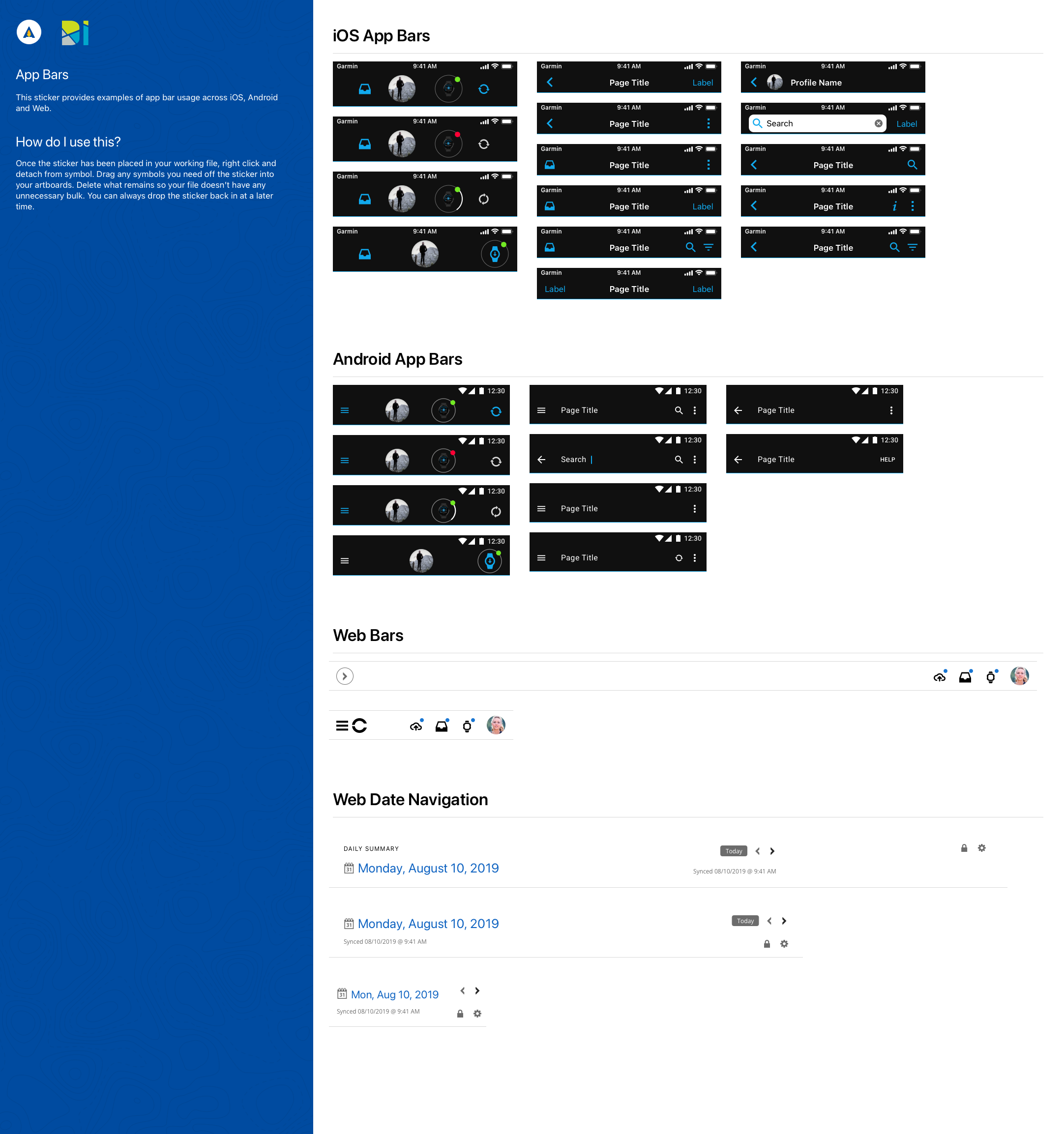
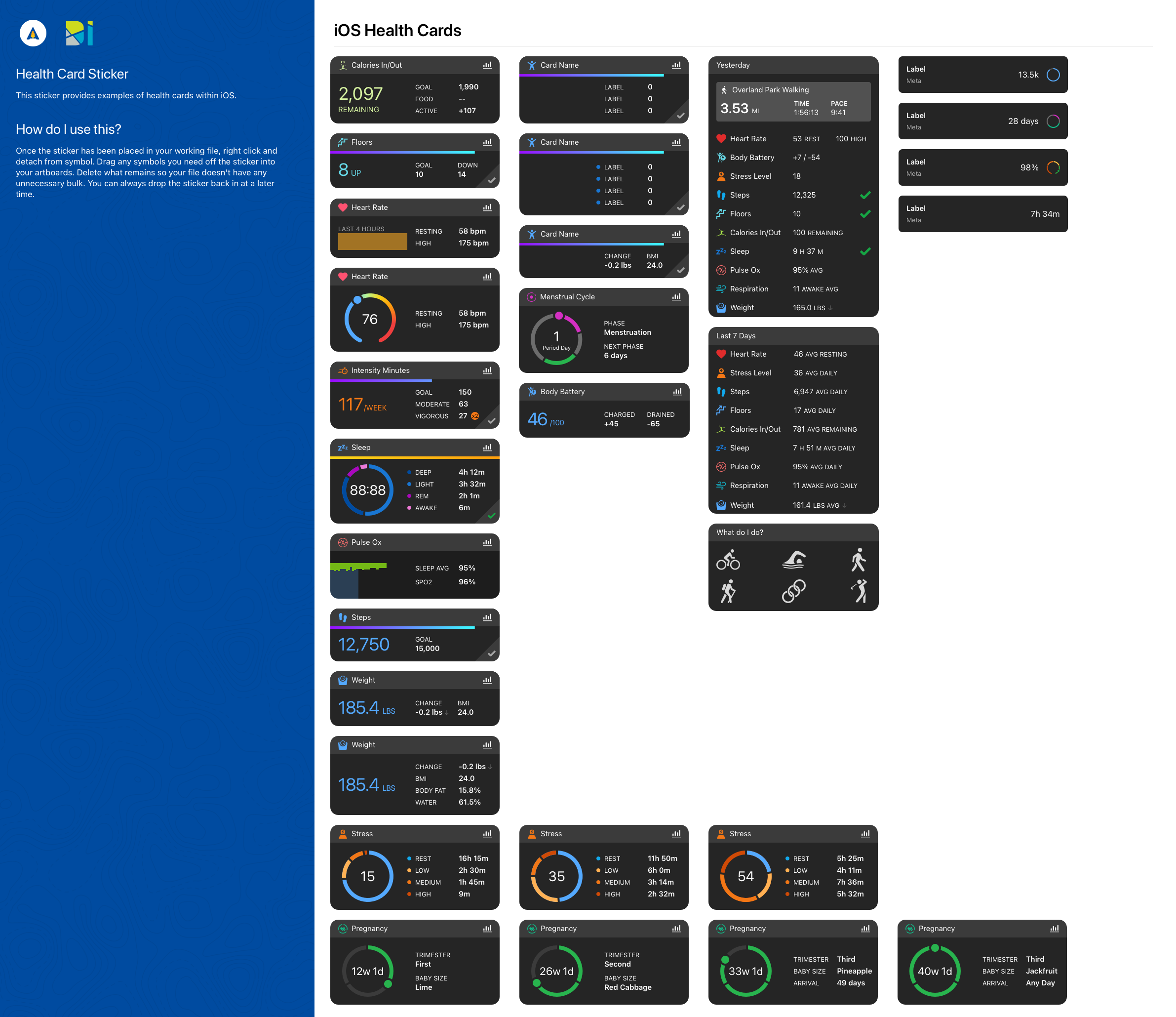
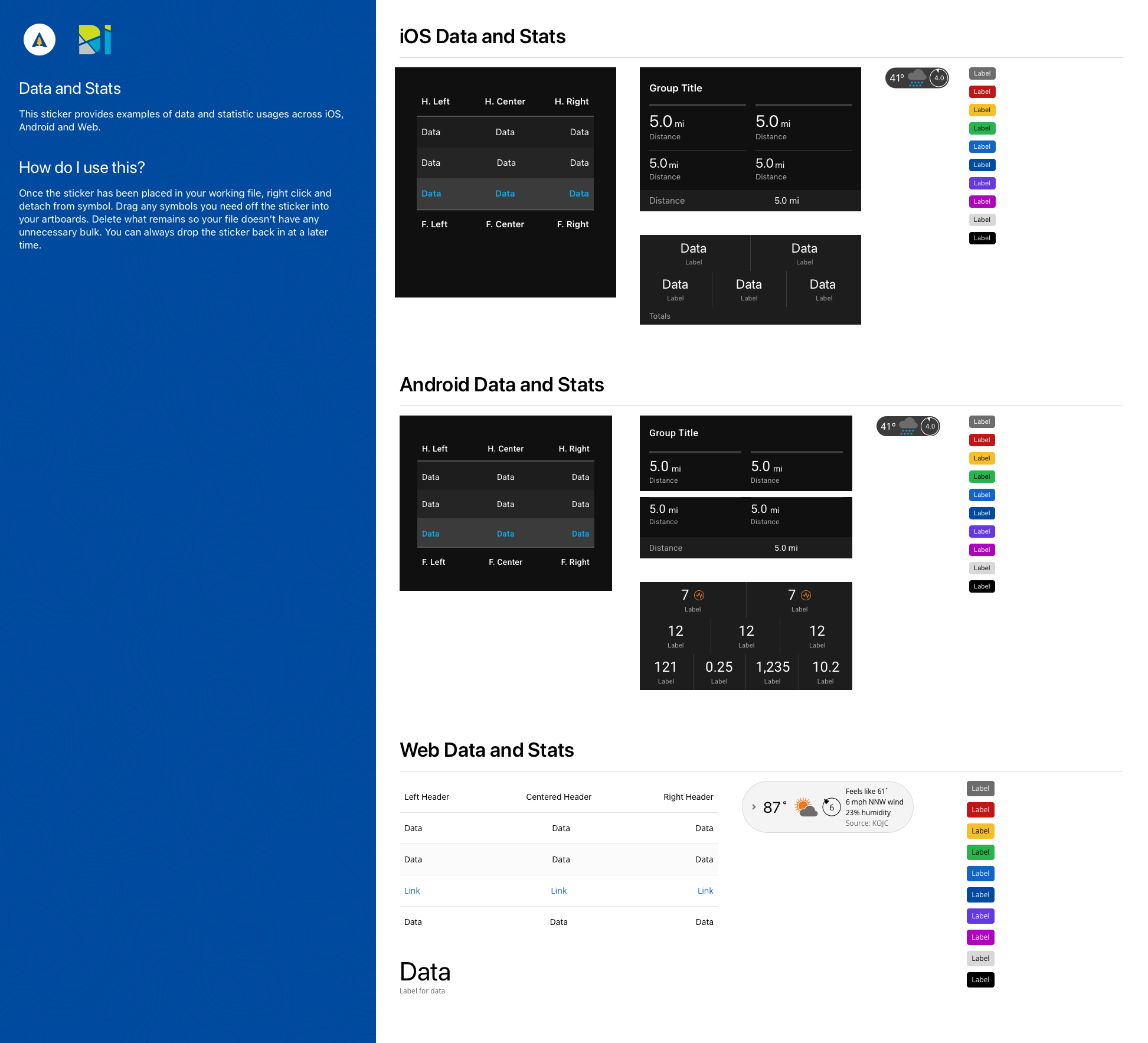
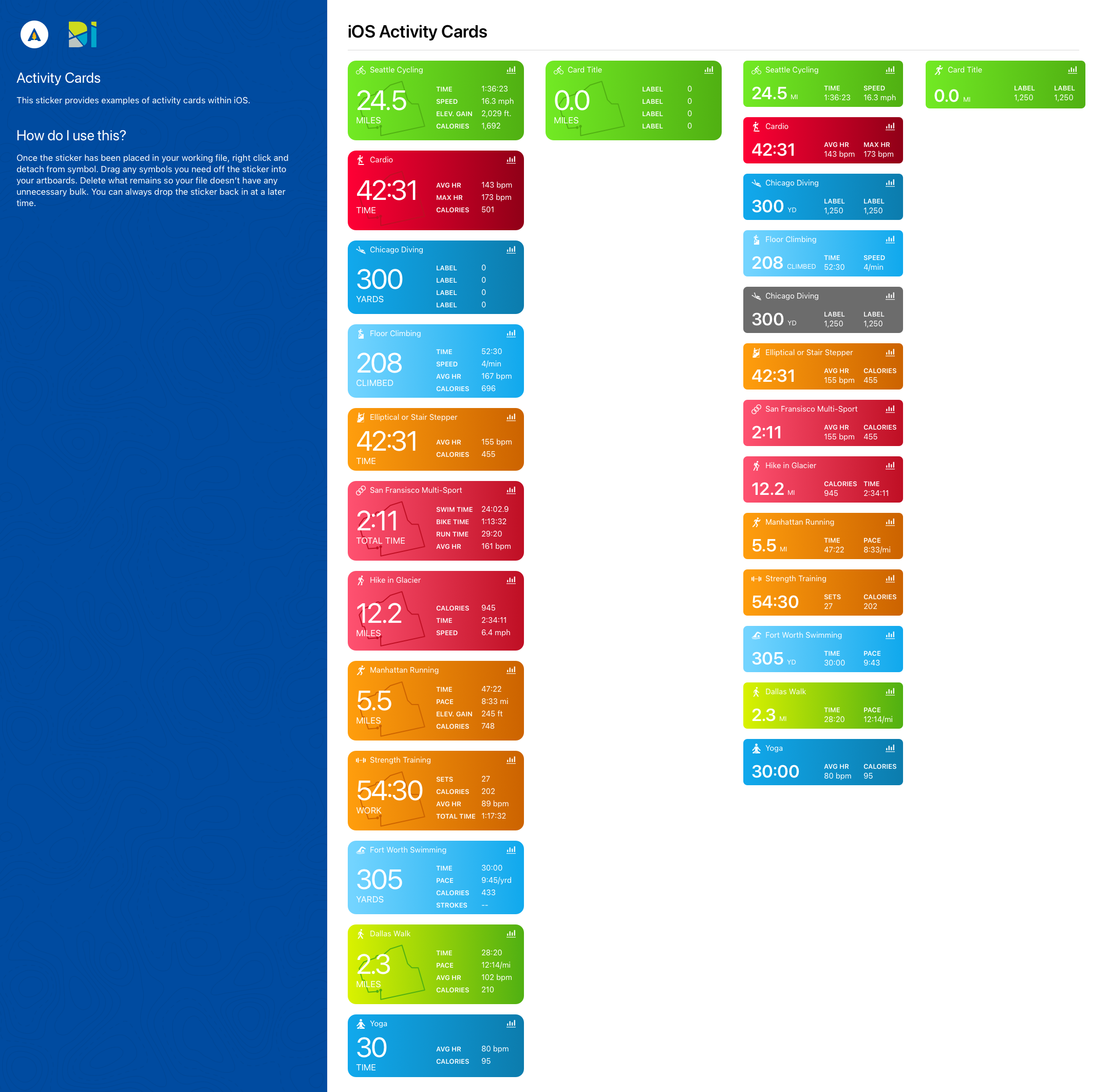
Easy access through sticker sheets.
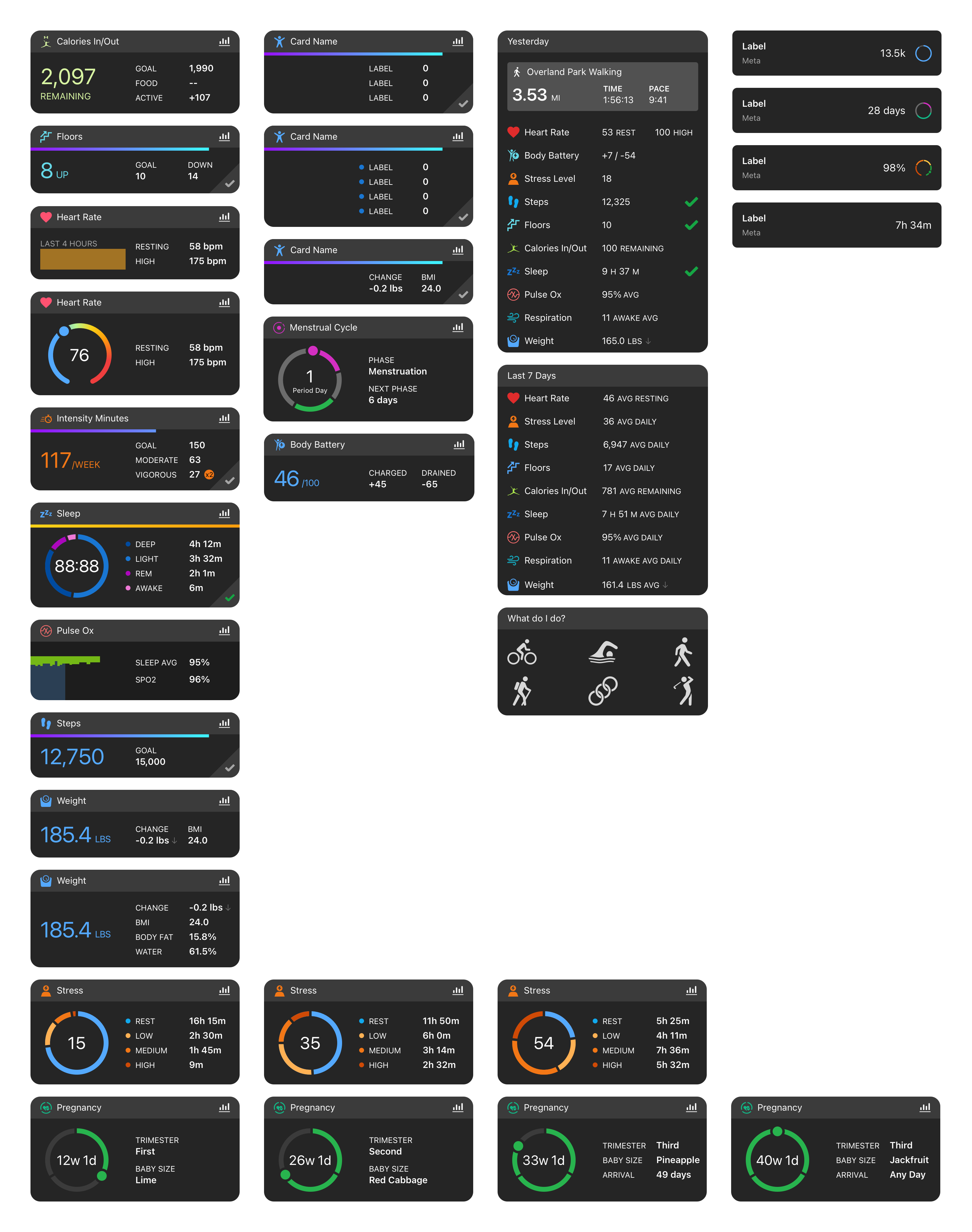
As parent components continued to get updated on a frequent basis, this meant that we needed to also create opportunities where our design team could grab and go as needed outside of the design systems library as a go-to one sheeter.
This meant that easy access was required for our team by providing sticker sheets to detach as symbols to then allow designers to freely take pieces away from this sheet.
Here are a few examples of how I’ve handled some of the many pieces that come from this library.
Light UI
Keeping up with the trends.
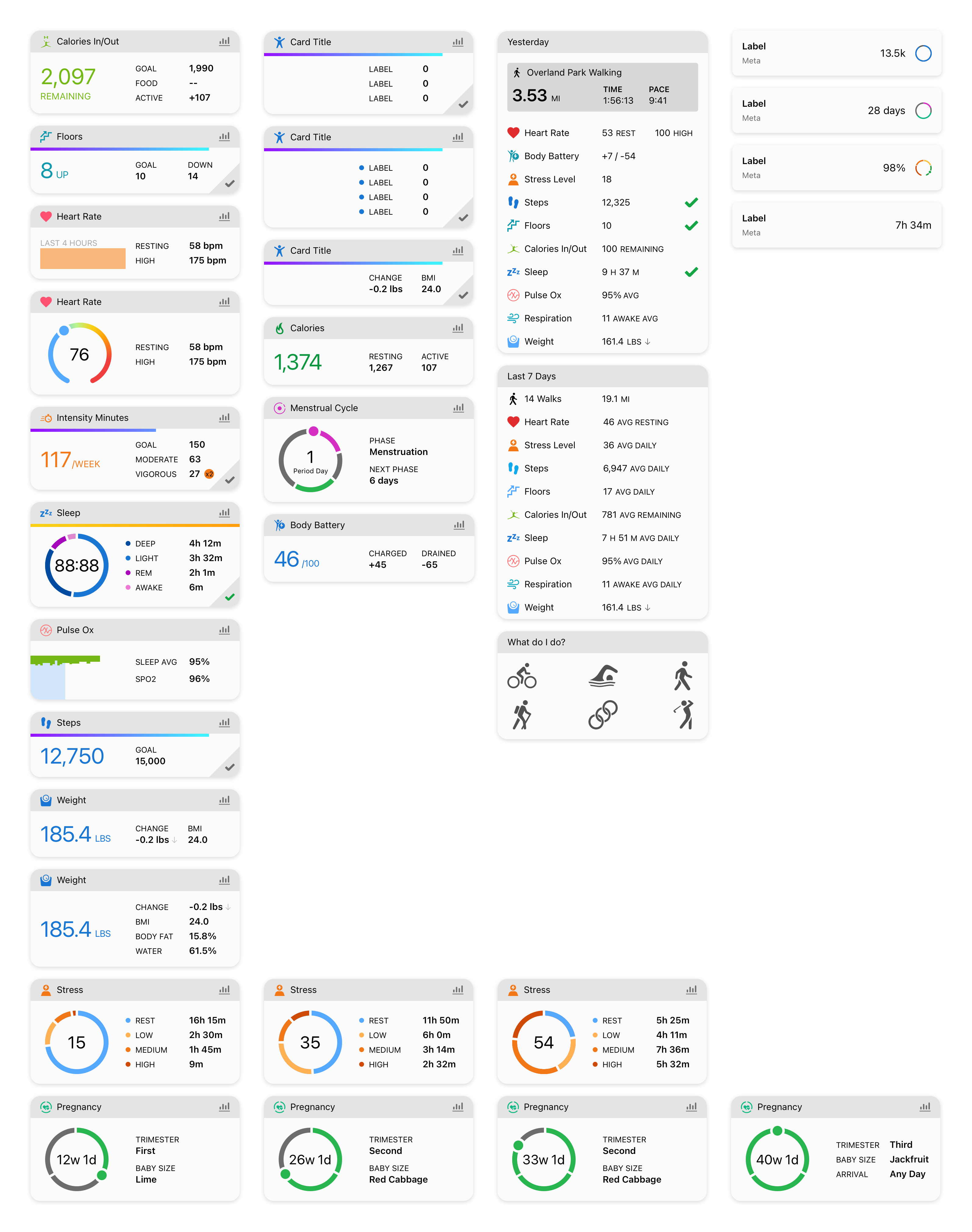
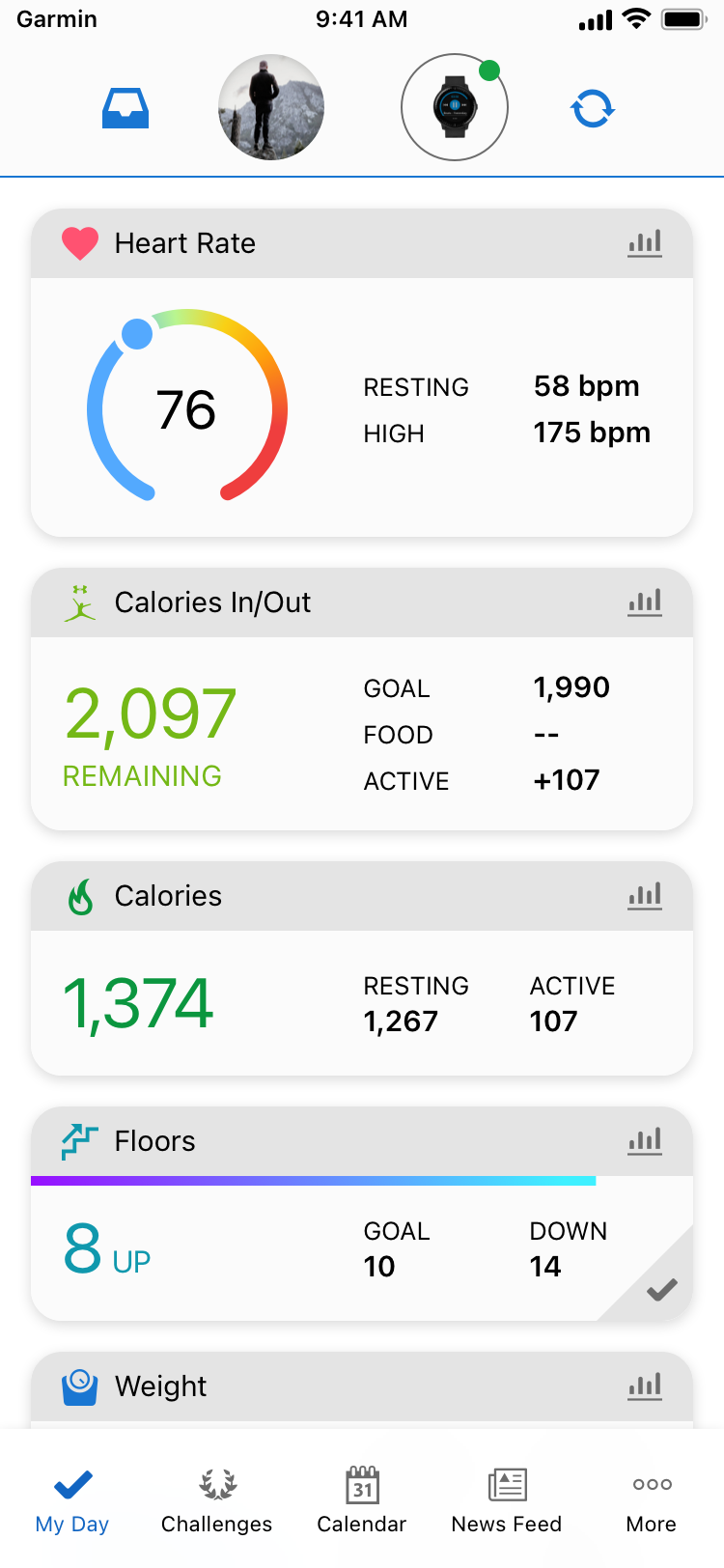
As designs began to start and follow a new paradigm across many apps, Garmin was still lacking in one particular area that are 1million+ users/month had constantly sent feedback for.
Light UI. That’s when I took it upon myself to understand color contrast + accessibility and worked alongside engineers to help in providing 1:1 translated hexcodes and tokens to better support the UI in a where our customers would LOVE having to toggle between the two options.
What’s next?
Since leaving Garmin in December 2020, I was in the process of having to convert the entire team’s library into Figma. As cloud collaboration was becoming more of a necessity to ACTUALLY work in real-time, I was able to help kickstart conversations with my manager to start requesting for individual licenses to look into transferring all of our libraries to be aligned with many other companies who were shifting their work over to Figma.
Before saying goodbye, I was able to fix up about 30% of the conversion before handing the reigns back to my manager, Patrick Banta. On top of that, I was able to contribute to building out over 90% of the design systems by the time I left.
As for additional next steps, it was to start looking into options of working towards moving away from the neon-gradient colors we used for activities. As accessibility became more of an importance to better support those who used our products, I wanted to make sure that I was at least able to help in bringing this discussion to the table before leaving.
Garmin: Connect Design Systems
The go-to design system that helped to cover all of Garmin’s Connect application for both mobile and web.
Product Design
Design Systems
Timeline
Design to Development with ongoing improvements: Jul 2019 - Dec 2020
Collaborators
Patrick Banta, UX Team Lead
Overall impact
Launched on Garmin Connect for both iOS, Android, and Web.
My contributions
Co-designer and owner in designing and creating Garmin’s first design system to be utilized by all of the Health Fitness organization that’s consisted of designers, engineers, product managers, and leadership.
Have undergone many rounds iterating various sizes to help in covering small to large-scale screen dimensions.
Ran studies and discussions to better understand how to help in tokenizing and providing documentation to design team of 18, as well as the engineering team to create guidelines and standards.
Spearheaded color accessibility to ensure best quality practice, as well as introducing Light Mode UI to the entire Connect ecosphere.
TL;DR context
When I joined Garmin, I initially was hired to be a jack-of-all-trades hire to support the Connect team. However, as the design systems work was handled by my manager, Patrick Banta, he needed someone to help in carrying a large role in continuing to build and refine how the design systems would go.
I’ve ultimately been able to push for a 90%+ contribution to all of the building cycle, as well as making sure my contributions introduced a new UI layout for light mode. As Garmin was primarily built on the idea of dark UI, I wanted to bring forth a more palatable experience for those who were used to brighter colors from other apps.
Process
A lot of this was maintained in Abstract and Sketch.
Why?
At the time, a lot of what was going on with Sketch did not allow for active cloud collaboration that Figma carried. This was where Abstract came in.
Benefits of Abstract:

What does this mean?
I had a lot of power to control what went out.
This meant that people would rely on me for all versions that were needed to be in queue for updates, as well as launching the various versions that were merged via email & Slack.
Weekly/monthly updates allowed for teams to be aware of what the next launch carried and how they could better utilize the design systems for their advantage.
Plus, it helped when people acknowledged my hard work with every update! xD
So how do we tackle this?
Make it easy for the team.
With a lot of what of goes on within Abstract and Sketch, I had to make sure that all of team members had a set list of items to refer to when it came to the design system:
Formal documentations and guidelines
+
Easy to find pages and components
+
Tokenizing for Engineering
=
Quality delivery to team
Organization
Easy access through sticker sheets.
As parent components continued to get updated on a frequent basis, this meant that we needed to also create opportunities where our design team could grab and go as needed outside of the design systems library as a go-to one sheeter.
This meant that easy access was required for our team by providing sticker sheets to detach as symbols to then allow designers to freely take pieces away from this sheet.
Here are a few examples of how I’ve handled some of the many pieces that come from this library.
Light UI
Keeping up with the trends.
As designs began to start and follow a new paradigm across many apps, Garmin was still lacking in one particular area that are 1million+ users/month had constantly sent feedback for.
Light UI. That’s when I took it upon myself to understand color contrast + accessibility and worked alongside engineers to help in providing 1:1 translated hexcodes and tokens to better support the UI in a where our customers would LOVE having to toggle between the two options.
What’s next?
Since leaving Garmin in December 2020, I was in the process of having to convert the entire team’s library into Figma. As cloud collaboration was becoming more of a necessity to ACTUALLY work in real-time, I was able to help kickstart conversations with my manager to start requesting for individual licenses to look into transferring all of our libraries to be aligned with many other companies who were shifting their work over to Figma.
Before saying goodbye, I was able to fix up about 30% of the conversion before handing the reigns back to my manager, Patrick Banta. On top of that, I was able to contribute to building out over 90% of the design systems by the time I left.
As for additional next steps, it was to start looking into options of working towards moving away from the neon-gradient colors we used for activities. As accessibility became more of an importance to better support those who used our products, I wanted to make sure that I was at least able to help in bringing this discussion to the table before leaving.
Garmin: Connect Design Systems
The go-to design system that helped to cover all of Garmin’s Connect application for both mobile and web.
Product Design
Design Systems
Timeline
Design to Development with ongoing improvements: Jul 2019 - Dec 2020
Collaborators
Patrick Banta, UX Team Lead
Overall impact
Launched on Garmin Connect for both iOS, Android, and Web.
My contributions
Co-designer and owner in designing and creating Garmin’s first design system to be utilized by all of the Health Fitness organization that’s consisted of designers, engineers, product managers, and leadership.
Have undergone many rounds iterating various sizes to help in covering small to large-scale screen dimensions.
Ran studies and discussions to better understand how to help in tokenizing and providing documentation to design team of 18, as well as the engineering team to create guidelines and standards.
Spearheaded color accessibility to ensure best quality practice, as well as introducing Light Mode UI to the entire Connect ecosphere.
TL;DR context
When I joined Garmin, I initially was hired to be a jack-of-all-trades hire to support the Connect team. However, as the design systems work was handled by my manager, Patrick Banta, he needed someone to help in carrying a large role in continuing to build and refine how the design systems would go.
I’ve ultimately been able to push for a 90%+ contribution to all of the building cycle, as well as making sure my contributions introduced a new UI layout for light mode. As Garmin was primarily built on the idea of dark UI, I wanted to bring forth a more palatable experience for those who were used to brighter colors from other apps.
Process
A lot of this was maintained in Abstract and Sketch.
Why?
At the time, a lot of what was going on with Sketch did not allow for active cloud collaboration that Figma carried. This was where Abstract came in.
Benefits of Abstract:

What does this mean?
I had a lot of power to control what went out.
This meant that people would rely on me for all versions that were needed to be in queue for updates, as well as launching the various versions that were merged via email & Slack.
Weekly/monthly updates allowed for teams to be aware of what the next launch carried and how they could better utilize the design systems for their advantage.
Plus, it helped when people acknowledged my hard work with every update! xD
So how do we tackle this?
Make it easy for the team.
With a lot of what of goes on within Abstract and Sketch, I had to make sure that all of team members had a set list of items to refer to when it came to the design system:
Formal documentations and guidelines
+
Easy to find pages and components
+
Tokenizing for Engineering
=
Quality delivery to team
Organization
Easy access through sticker sheets.
As parent components continued to get updated on a frequent basis, this meant that we needed to also create opportunities where our design team could grab and go as needed outside of the design systems library as a go-to one sheeter.
This meant that easy access was required for our team by providing sticker sheets to detach as symbols to then allow designers to freely take pieces away from this sheet.
Here are a few examples of how I’ve handled some of the many pieces that come from this library.
Light UI
Keeping up with the trends.
As designs began to start and follow a new paradigm across many apps, Garmin was still lacking in one particular area that are 1million+ users/month had constantly sent feedback for.
Light UI. That’s when I took it upon myself to understand color contrast + accessibility and worked alongside engineers to help in providing 1:1 translated hexcodes and tokens to better support the UI in a where our customers would LOVE having to toggle between the two options.
What’s next?
Since leaving Garmin in December 2020, I was in the process of having to convert the entire team’s library into Figma. As cloud collaboration was becoming more of a necessity to ACTUALLY work in real-time, I was able to help kickstart conversations with my manager to start requesting for individual licenses to look into transferring all of our libraries to be aligned with many other companies who were shifting their work over to Figma.
Before saying goodbye, I was able to fix up about 30% of the conversion before handing the reigns back to my manager, Patrick Banta. On top of that, I was able to contribute to building out over 90% of the design systems by the time I left.
As for additional next steps, it was to start looking into options of working towards moving away from the neon-gradient colors we used for activities. As accessibility became more of an importance to better support those who used our products, I wanted to make sure that I was at least able to help in bringing this discussion to the table before leaving.